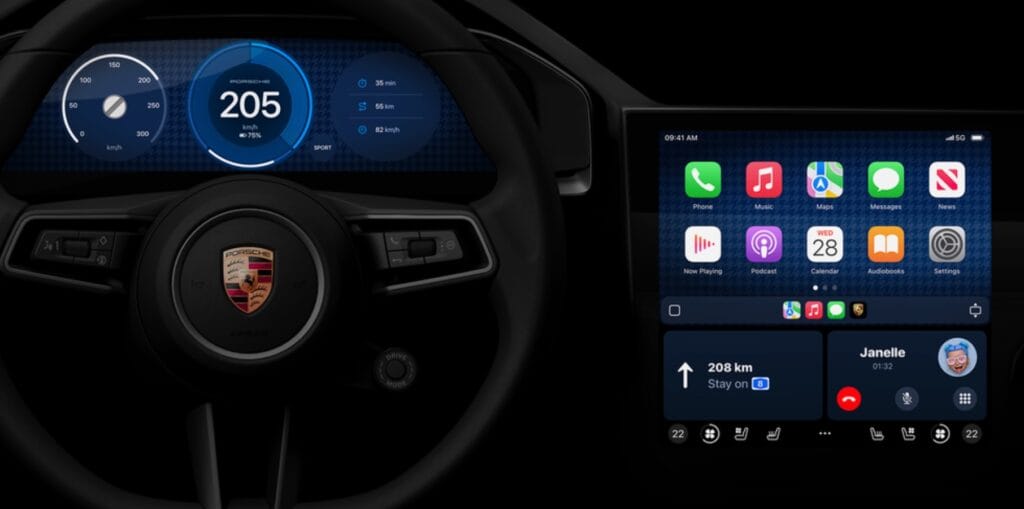
One key feature drivers look for when buying a new car is whether it features Apple CarPlay integration. We’re still waiting for the upcoming all-new design, which should be available in select vehicles soon, but Apple has continued to enhance the software.
With the recent iOS 18 release, Apple added a few new features to CarPlay. In this article, I’ll discuss five CarPlay features that have made my life easier.
Announce Notifications support: Announce Notifications can read aloud your notification summaries when using AirPods or CarPlay. This iOS 18 feature is especially useful now that Apple Intelligence is available, providing an overview of your notifications.
Let contacts track your journey: There are several ways to let someone track your journey using your iPhone, including with CarPlay. Once you start a trip with Apple Maps or Google Maps in your car, you can share your ETA at the bottom of the screen. Apple will suggest a few names from your list of contacts, and you can share them using a variety of messaging apps. This can be combined with the Check In feature on your iPhone and Apple Watch.
Tech. Entertainment. Science. Your inbox.
Sign up for the most interesting tech & entertainment news out there.
By signing up, I agree to the Terms of Use and have reviewed the Privacy Notice.
Set a Focus Mode: You probably already know about the Focus Mode feature that debuted in iOS 15. What you might not know is that you can create a Driving Focus Mode. Apple already offers a pre-made mode, but I suggest you customize it. By going to Settings, then Focus, and tapping on Driving, you can decide who can message you while driving. You can also personalize the experience by selecting a customizable iPhone Lock Screen and Apple Watch watch face. Then, once your iPhone connects to CarPlay, Apple automatically enables this Focus Mode.
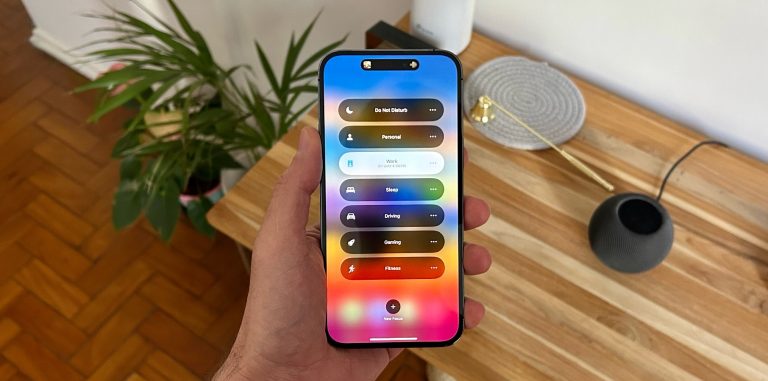 Image source: José Adorno for BGR
SharePlay: Apple lets you collaborate with someone else’s Apple Music queue using SharePlay. Once you start playing a song, someone else can tap the SharePlay icon, grab their phone, scan a QR code, and add songs to the queue. This is especially useful so you don’t need to keep unlocking your iPhone, and even if the person doesn’t have an Apple Music subscription, they can keep adding songs as long as they have the Music app downloaded.
Change Wallpaper: I love that CarPlay lets me customize the background of the display. With every new CarPlay update, Apple adds more backgrounds. In the Settings app in CarPlay, select Wallpaper and choose the one that suits your mood. Don’t forget to check back after any major software update, as more options could be available.